# Count
## Create or edit a volume section (*Count*)
By adding a new section called *Count*, the page below will appear.
This page will allow you to add the following :
| ***Type*** | Modify the section type while keeping the associated *Topic(s)*. |
| --------------------- | ------------------------------------------------------------------------------------------------------------------------------------------------------------------ |
| ***Orientation*** | Choose how to display your section. Vertical (column), horizontal (row) or with the total integrated automatically (Main count / Sub count) |
| ***Counts - Topic*** | Associate one or more topic(s) or sub-topic(s) with the *Count*. You can click on the *Topic* name to access the list of all *Topics*. You can also add *Filters*. |
| ***Counts - Target*** | Choose the item you need to measure (number of posts, impressions, likes etc). |
| ***Counts - Label*** | Write the text associated with the numbers. |
| ***Add count*** | Add *Counts* associated with other topics or subtopics. |
| ***Color*** | Choose the color section, which you can match with your *Timeline* or social media color. |
| ***Icon*** | Choose the icon associated with the section. |
| ***Custom period*** | Option to activate if you want to give a specific period of time to your section that differs from the *Smartboard'*s one. |
{% hint style="info" %}
You can mix several topics or sub-topics in the same *Count* by giving them the same label.
{% endhint %}
## Examples of volume section (count)
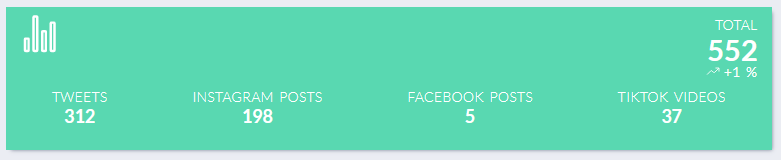
### 1. Volume of posts/engagement by social network
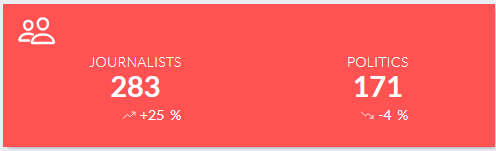
### 2. Number of users