# Cloud
## Create or edit a C*loud* section
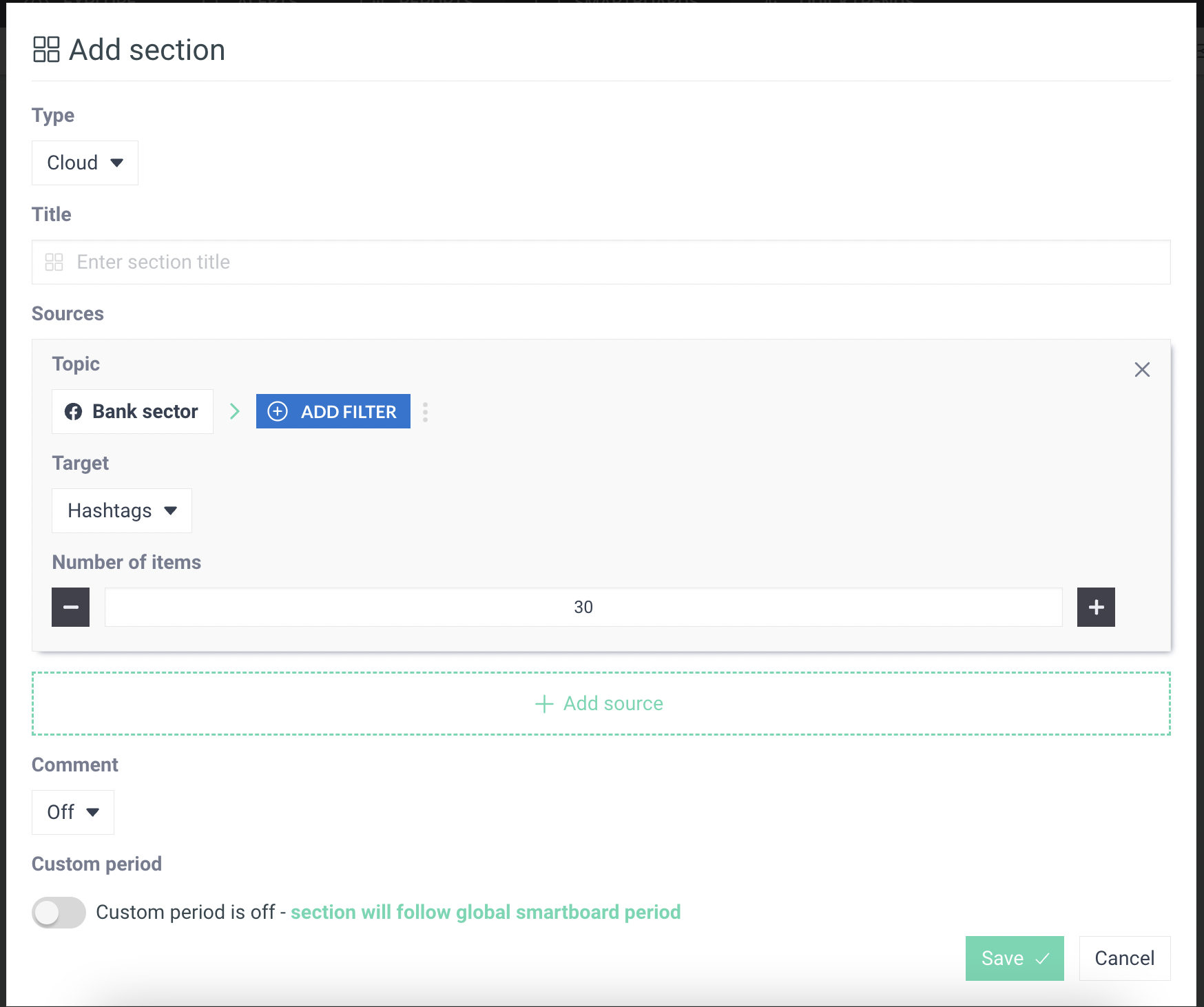
By adding a new section called *Cloud*, the page below will appear.
This page will allow you to add the following :
| ***Type*** | Modify the section type while keeping the associated *Topic(s)*. |
| ---------------------- | ------------------------------------------------------------------------------------------------------------------------------------------------------------------ |
| ***Title*** | Add or modify the title. |
| ***Sources - Topic*** | Associate one or more topic(s) or sub-topic(s) with the *Cloud*. You can click on the *Topic* name to access the list of all *Topics*. You can also add *Filters*. |
| ***Sources - Target*** | Choose the item you need to make to appear (hashtags, mentions, languages, emojis, countries etc). |
| ***Number of items*** | Choose the maximum number of words you want to display. |
| ***Add sources*** | Add *Cloud* associated with other *Topics* or *Subtopics*. |
| ***Comment*** | Add or edit comments to the section. You can choose the background color according to the importance of the comment (information, danger...) |
| ***Custom period*** | Option to activate if you want to give a specific period of time to your section that differs from the *Smartboard'*s one. |
## Example of a Word Cloud about finance